
Edit like a form
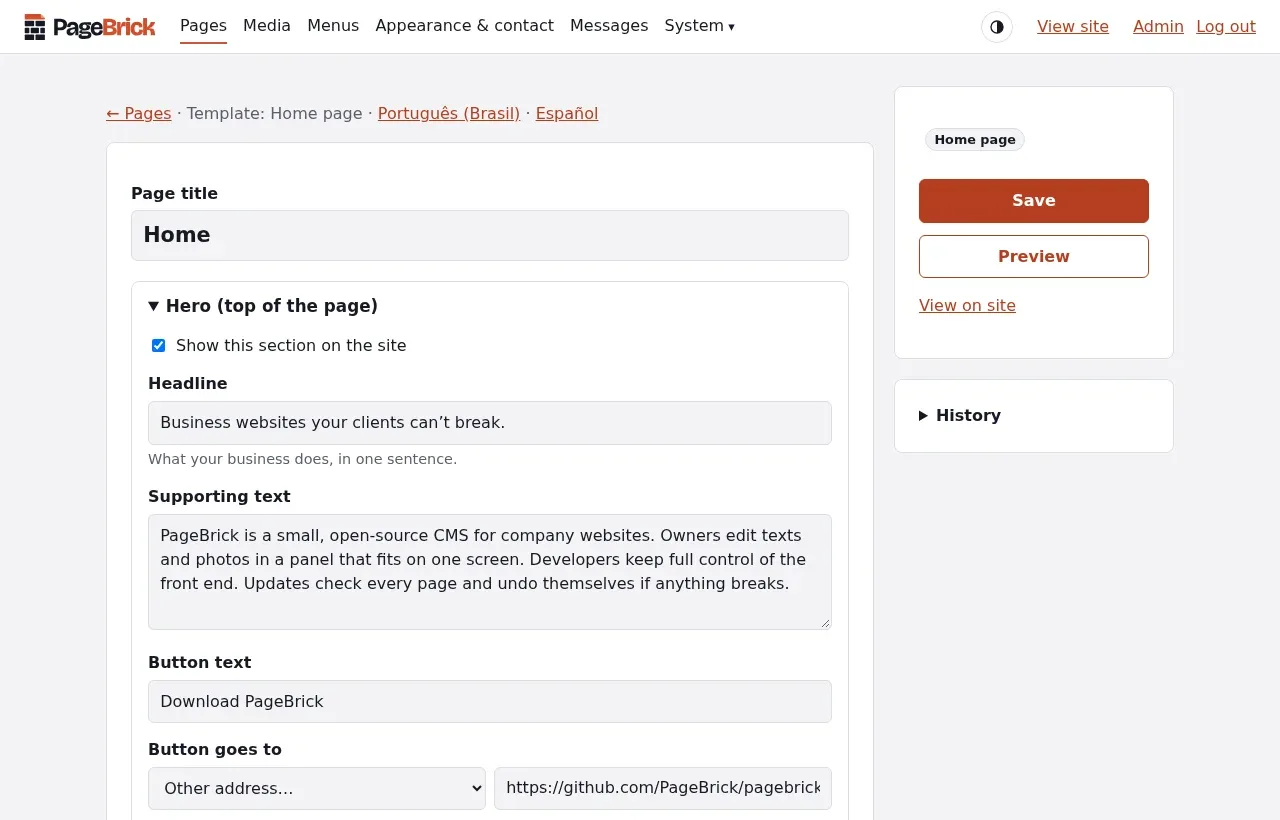
Each page is a short form: a title, some text, a photo. The layout stays exactly as designed, whatever gets typed.
PageBrick is a small, open-source CMS for company websites. Owners edit texts and photos in a panel that fits on one screen. Developers keep full control of the front end. Updates check every page and undo themselves if anything breaks.
PHP 8.2+ · MySQL or MariaDB · Any cPanel hosting · GPL-3.0
Everything a company site needs, and nothing to learn.
Each page is a short form: a title, some text, a photo. The layout stays exactly as designed, whatever gets typed.
Sections switch off with one click. Every page keeps its last ten versions, ready to restore.
Messages arrive by e-mail and stay in the panel. Spam stays out, with no captcha.
English, Portuguese and Spanish, for the panel and for the site. Each page can have its translations.
The front end is yours. PageBrick adds nothing you didn’t ask for: no CSS, no JavaScript, no cookies. Write plain PHP templates with any build tool, replace any plugin’s markup from your theme, or skip PHP entirely and read the content as JSON.
<!-- templates/home.php -->
<h1><?= $page->hero->title ?></h1>
<?php foreach ($page->services->items as $item): ?>
    <h2><?= $item->title ?></h2>
<?php endforeach ?>

# or headless, from Next.js, Astro or an app
curl https://example.com/api/v1/pages/aboutClicking Update in the panel is safe. Five guarantees, each one checked by automated tests on every release.
Everything themes and plugins use is listed and versioned. Within a version, nothing is removed or changed.
A real agency site built on 1.0 must deliver the same HTML, byte for byte, on every new release.
If an active plugin or the theme isn’t ready for the new version, the panel says which one and waits.
The first visit after an update renders every page. If one fails, the previous version comes back on its own.
Updates replace the core only. Themes, plugins, photos and settings stay exactly as they are.
Try it
Upload, open the site, answer four short screens. No terminal, no command line.
Get the latest pagebrick zip from GitHub.
Send what is inside its pagebrick folder to your hosting, with the cPanel file manager or FTP.
In cPanel, the MySQL Database Wizard creates the database and its user in one go.
The installer checks the server, connects to the database and creates a finished example site.